> ## Documentation Index
> Fetch the complete documentation index at: https://wb-21fd5541-wbdocs-1882.mintlify.site/llms.txt
> Use this file to discover all available pages before exploring further.

# 로컬 인스턴스에서 문제가 발생하면 어떤 파일을 확인해야 하나요?

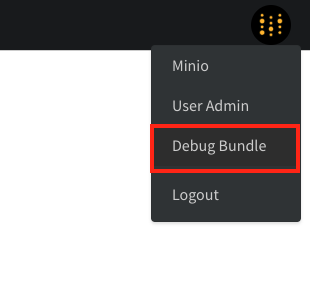
`Debug Bundle`을 확인하세요. 관리자는 오른쪽 상단의 W\&B 아이콘을 선택한 다음 `Debug Bundle`을 선택해 `/system-admin` 페이지에서 이를 조회할 수 있습니다.
<Frame>
  <img src="https://mintcdn.com/wb-21fd5541-wbdocs-1882/VuVPPvcjyIlg9vr8/images/technical_faq/debug_bundle.png?fit=max&auto=format&n=VuVPPvcjyIlg9vr8&q=85&s=f6cab4146181430a31e51926788f9887" alt="Debug Bundle 다운로드" width="310" height="302" data-path="images/technical_faq/debug_bundle.png" />
</Frame>

<Frame>
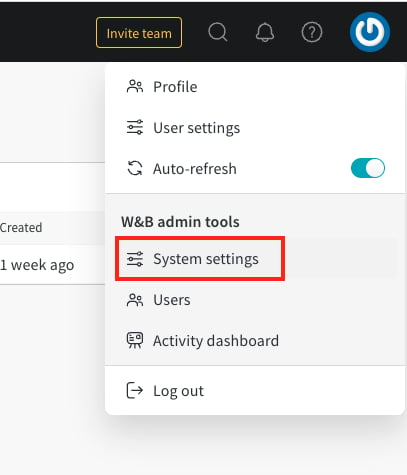
  <img src="https://mintcdn.com/wb-21fd5541-wbdocs-1882/VuVPPvcjyIlg9vr8/images/technical_faq/local_system_settings.png?fit=max&auto=format&n=VuVPPvcjyIlg9vr8&q=85&s=0b17ca11b1eb4151af5c8e16e2f6610e" alt="시스템 설정" width="407" height="475" data-path="images/technical_faq/local_system_settings.png" />
</Frame>

***

<Badge stroke shape="pill" color="orange" size="md">[관리자](/ko/support/models/tags/administrator)</Badge>
